What Is GNU Radio Plugin
The GNU Radio plugin provides a streamlined workflow for RF data analysis. Users can easily browse and select data blocks at the file level, then feed recorded IQ samples directly into GNU Radio. This enables immediate signal visualization, spectrum analysis, filtering, and custom DSP processing using GNU Radio’s flowgraph environment.
Who Is It For?
If your work involves visualizing signals, performing spectrum analysis, or applying custom DSP pipelines, this integration streamlines your workflow by sending your data blocks directly into GNU Radio for immediate processing.
Workflow
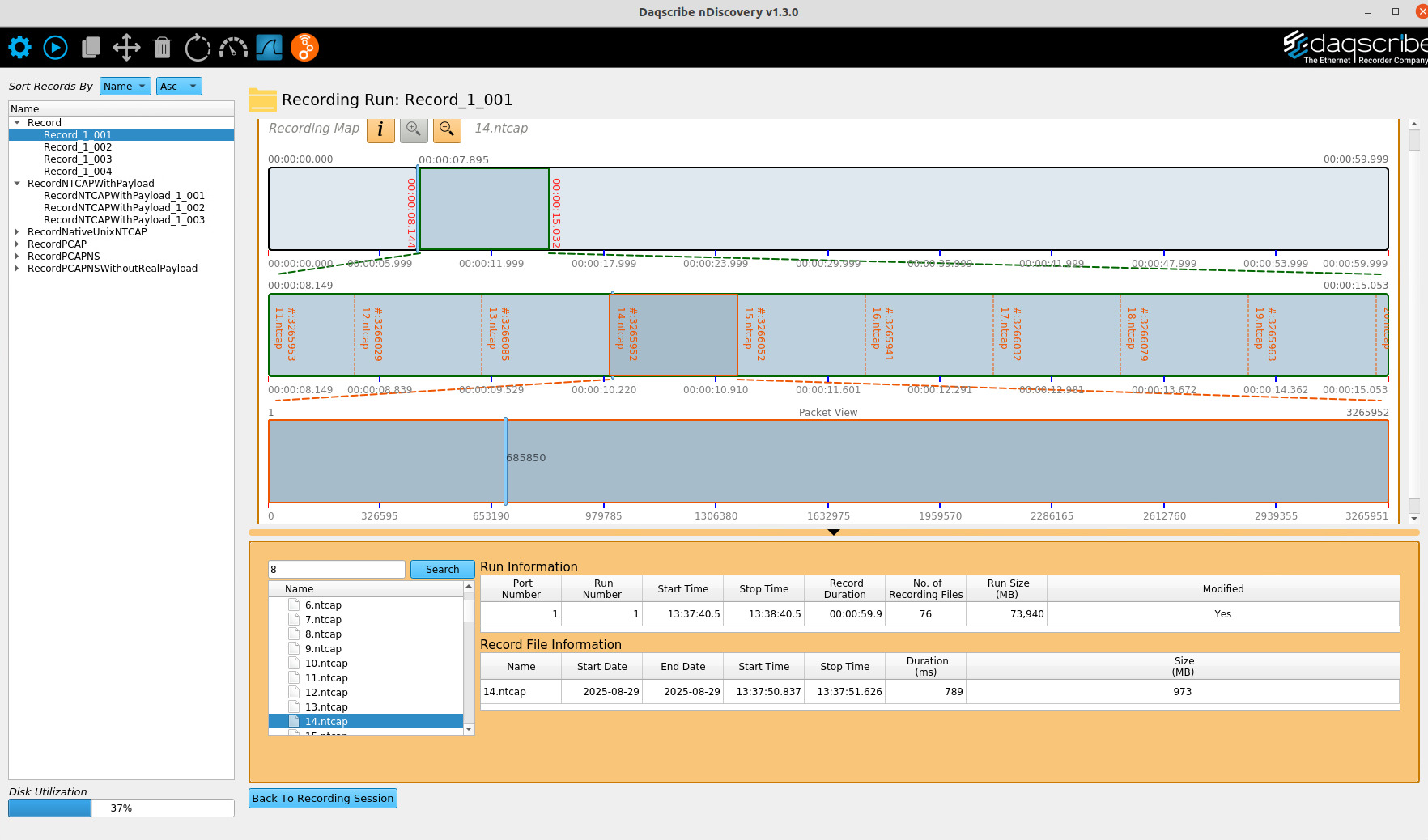
Navigate
In this step, users locate and select the RF data they want to analyze. nDiscovery presents a structured view of recording runs and individual .ntcap files, making it easy to drill down to specific data blocks.
The Recording Timeline provides a visual timeline of the capture, showing file boundaries and data distribution over time. As files are selected, the timeline and packet view update immediately, allowing users to quickly pinpoint the exact segment of IQ data to send into GNU Radio for further analysis.
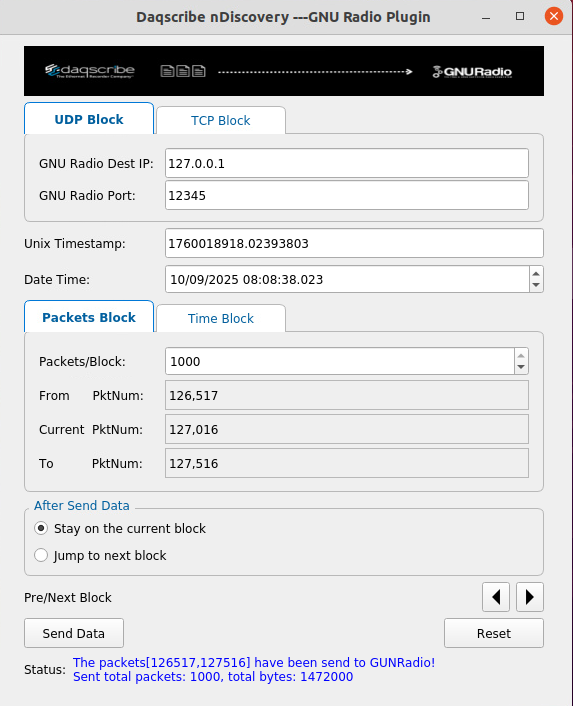
Configure
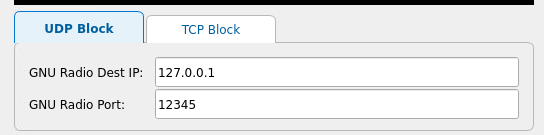
In this step, users define how IQ data is sent from nDiscovery to GNU Radio. Connection settings such as protocol (UDP or TCP), IP address, and port are configured to match the GNU Radio flowgraph.
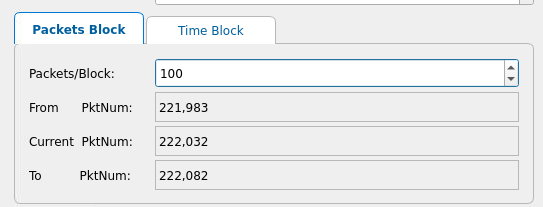
Users then select the exact data block to transmit using packet- or time-based controls, enabling precise, targeted analysis. Once configured, the data is sent directly into GNU Radio for immediate signal processing.
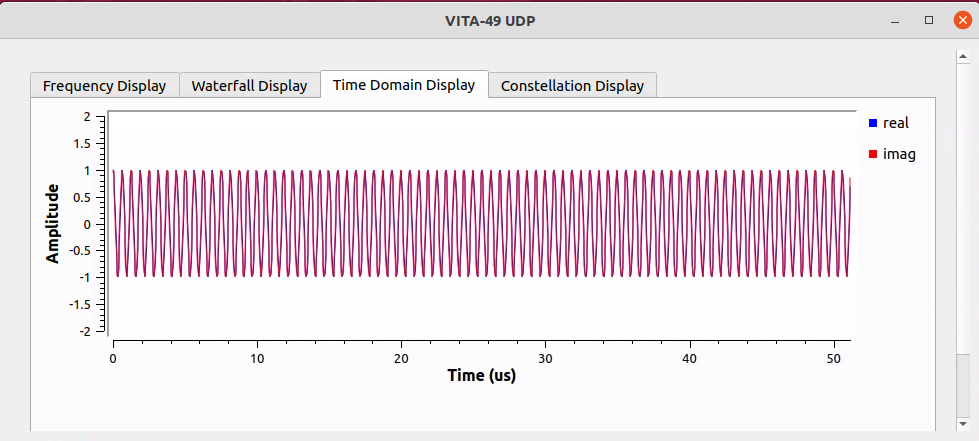
Analyze
In this stage, the transmitted IQ data is visualized and analyzed within GNU Radio. Users can immediately inspect signals using time-domain, frequency, waterfall, and constellation displays to validate signal integrity and behavior.
This real-time analysis enables rapid insight into RF characteristics and supports iterative DSP development without leaving the workflow.
Key Features
Easy packet-level navigation
Quickly locate and review captured data with precise, packet-level control. The visual packet view allows users to jump directly to points of interest within large recordings, eliminating the need to scrub through entire files.

Dual-protocol support for UDP and TCP streaming
Seamlessly stream IQ data to GNU Radio using either UDP or TCP. This flexibility allows users to balance performance and reliability based on their analysis requirements and flowgraph configuration.
Flexible block controls for targeted data transmission
Select exactly how data is sent using packet-based or time-based block modes. Users can define packet ranges or time windows to isolate specific signal events for focused analysis.
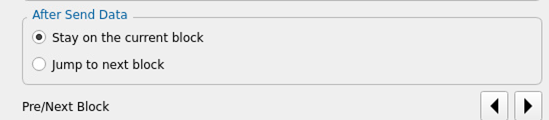
Fast and seamless navigation between data blocks
Move efficiently through data blocks with simple next and previous controls. After transmission, users can choose to remain on the current block or automatically advance, enabling rapid, iterative analysis workflows.
Millisecond-level time navigation
Align analysis with high-precision timestamps using Unix and human-readable time formats. This enables accurate correlation between RF data, external events, and system logs.
